PB4000
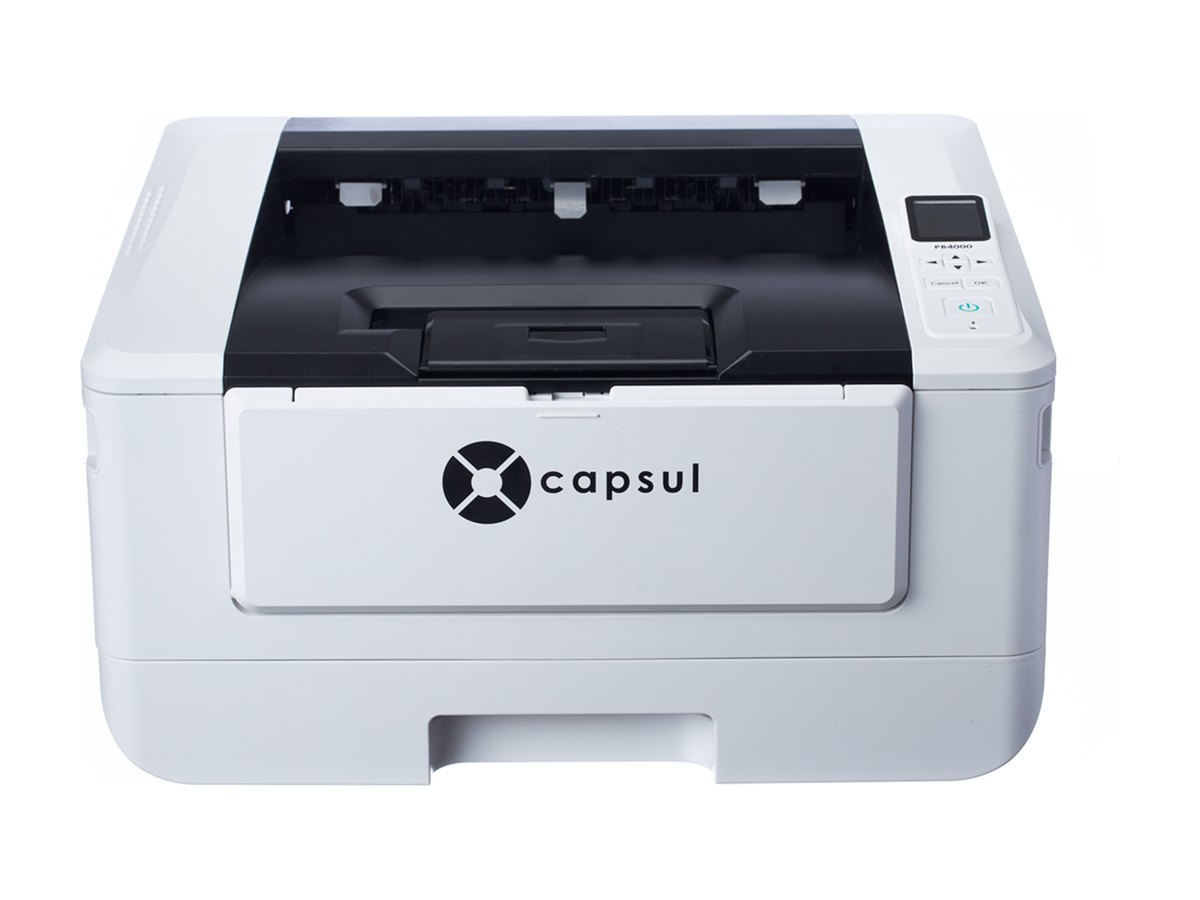
A 40-page-a-minute laser printer with high-yield toner for the offices that print the most.
- Print speed
- 40 ppm
- Toner yield
- Up to 12,000
- Monthly volume
- 4,500 pages
Built for the busiest printer in the building.
Long reports and stacks of invoices finish fast, on both sides of the page.
Cartridges rated for 3,000, 6,000, 9,000, or 12,000 pages, so high-volume seats change toner less often.
Envelopes, labels, and letterhead go through the manual slot without emptying the drawer.
Join Wi-Fi and print. No driver needed.
Computers and phones on the same network can print right away using what’s already built in. Install the driver only to scan into desktop apps or to connect by USB.
- WindowsBuilt-in printing
- MacAirPrint
- iPhone and iPadAirPrint
- AndroidMopria
Specifications
- Function
- Print speed
- 40 ppm (A4), black and white
- Resolution
- 1,200 × 1,200 dpi
- Two-sided printing
- Automatic
- Connectivity
- Wi-Fi and Ethernet
- Mobile printing
- AirPrint and Mopria
- Paper sizes
- A4, Letter, and Legal
- Paper drawer
- 250 sheets
- Manual feed
- 10 sheets
- Monthly volume
- 4,500 pages
- Duty cycle
- 60,000 pages a month
- Toner yield
- 3,000, 6,000, 9,000, or 12,000 pages
- Drum yield
- 30,000 pages
- Dimensions
- 15.9 × 14.9 × 8.0 in
- Weight
- 23.0 lb
PB4000 questions
How fast does the PB4000 print?
Up to 40 pages a minute in black and white, at a resolution of up to 1,200 × 1,200 dpi.
What toner yields are available for the PB4000?
Toner cartridges are rated for 3,000, 6,000, 9,000, or 12,000 pages, so busy offices change toner less often. The drum is rated for 30,000 pages.
How much printing is the PB4000 built for?
About 4,500 pages a month, with a maximum duty cycle of 60,000 pages a month.
Does the PB4000 print on both sides?
Yes. Two-sided printing is automatic and built in.
Can I print to the PB4000 from a Mac, iPhone, or Android phone?
Yes. Macs, iPhones, and iPads print to it over AirPrint, Android devices use Mopria, and Windows computers use built-in printing, so there’s no driver to install for everyday printing. The Windows driver on the Support page is only needed to scan into desktop apps or to connect by USB.
How is the PB4000 different from the PB3300?
The PB4000 prints faster, at 40 pages a minute versus 33, takes high-yield toner up to 12,000 pages, has a 10-sheet manual feed, and is built for about 4,500 pages a month. The PB3300 fits offices that print 1,500 to 3,000 pages a month. See the full comparison.
What warranty does the PB4000 have?
The PB4000 has Capsul’s one-year Standard Manufacturer’s Warranty, which covers hardware failures caused by manufacturing defects from the date of purchase.
Where can I buy the PB4000?
Capsul is sold through authorized IT and office-technology providers. Use Where to buy and we’ll introduce you to one near you.